Your receipts, read on your phone and kept there
Point the camera at a receipt. Receipt Snap reads the merchant, date, total and tax in about two seconds, files it, and never sends it anywhere.
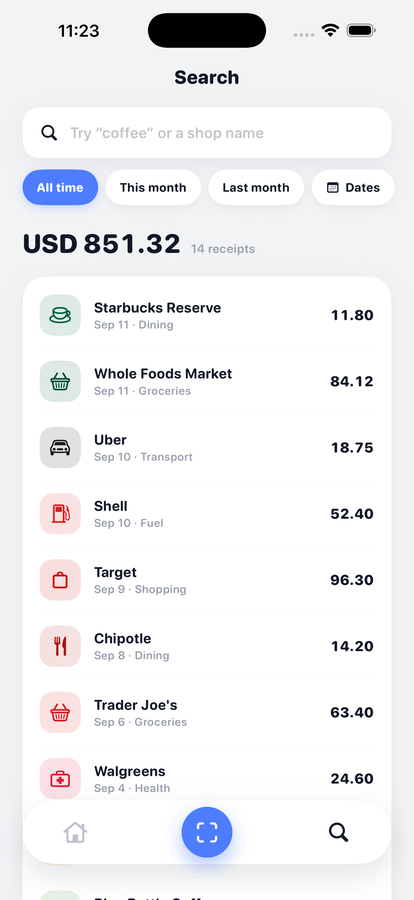
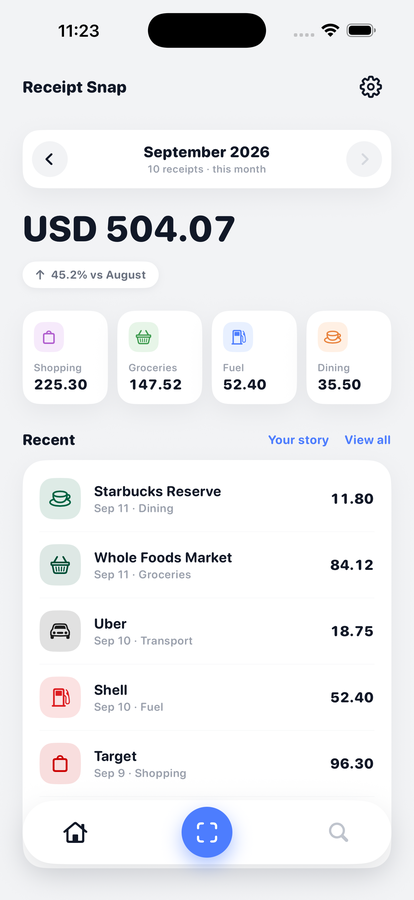
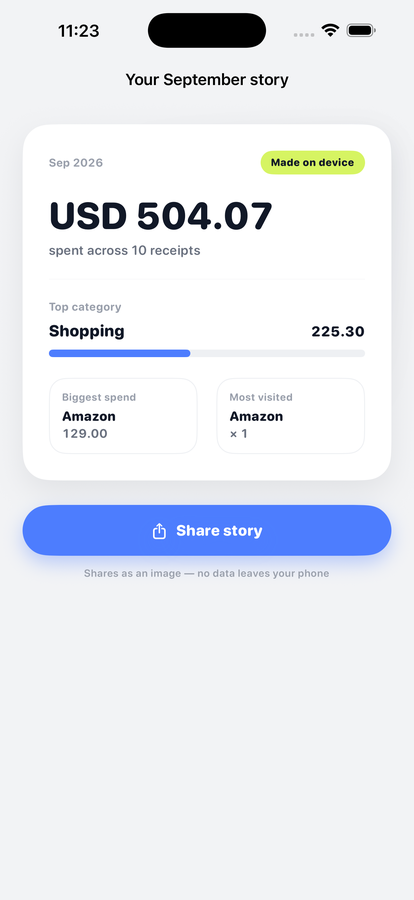
Reads the receipt.
Keeps it to itself.
01 · On device
Two seconds, no upload
Apple's Vision framework reads the text on the phone, and on newer iPhones an on-device model pulls structure out of it. The receipt never has to leave the device to be understood.
02 · Currency
Reads the tax number
Where no symbol is printed, it recognises a UAE TRN, an Indian GSTIN or a UK postcode and sets the currency from that.
03 · Search
Find it in words
Search naturally — "coffee in July" — and filter any month or date range.
04 · At year end
A summary you can hand over
Browse any month, tap a category to see everything spent on it, and share a summary card. Deleted receipts stay recoverable for 30 days.
Three steps
Photograph it the day you get it
Thermal paper fades — sometimes within months in a hot car. The shutter fires immediately; there is no waiting for the app to find the edges.
Check what it read
Merchant, date, total and tax come back filled in. Every field is editable, and you can drag the corners to re-crop if the automatic crop misses.
Find it years later
Search by word, month or category. Records need keeping for three years in the US, five in the UAE, fifteen for UAE property.
Most receipt apps are not expense trackers
They are purchase-data companies. You photograph a receipt, they sell what you bought, to whom, at what price and how often. The points you earn are the price they pay for it.
| Receipt Snap | Points-and-rewards receipt apps | |
|---|---|---|
| Where the photo goes | Nowhere — it stays on the phone | Their servers |
| Account required | Never | Yes |
| Purchase data sold | Never | That is the business model |
| App Store privacy label | Data Not Collected | Linked to you |
The rules a receipt has to satisfy
Do you need receipts for tax deductions?
The $75 rule, what a bank statement proves, and what to do when one is lost.
RecordsHow long do you have to keep receipts for taxes?
Three years to fifteen, depending where you file.
PrivacyHow to find an expense tracker that doesn't sell your data
The 30-second check on any App Store page.
Straight answers
Does Receipt Snap upload my receipts?
No. The photo is read on your iPhone using Apple's on-device text recognition, and the result is stored on the device. There is no account and no Receipt Snap server — the App Store privacy label reads Data Not Collected.
Which currencies does it recognise?
Twelve, detected from the receipt itself. Where no symbol is printed it reads the tax registration number instead — a UAE TRN means dirhams, an Indian GSTIN means rupees, a UK postcode means sterling.
Do photographs of receipts count as tax records?
Yes. The IRS, HMRC and the UAE Federal Tax Authority all accept electronic records provided they are legible, complete and producible on request. Photograph the whole receipt, including the tax line.
What does it cost?
Receipt Snap is free, with 15 scans a month. Pro removes the cap — $14.99 a year, or $39.99 once for life — and is available now. Searching, editing and exporting what you have already scanned stay free either way.
What happens if the scan gets something wrong?
Every field is editable before you save, and you can re-crop the photo by dragging the corners if the automatic crop misses. Nothing is filed without you seeing it.