Invoices that get you paid.
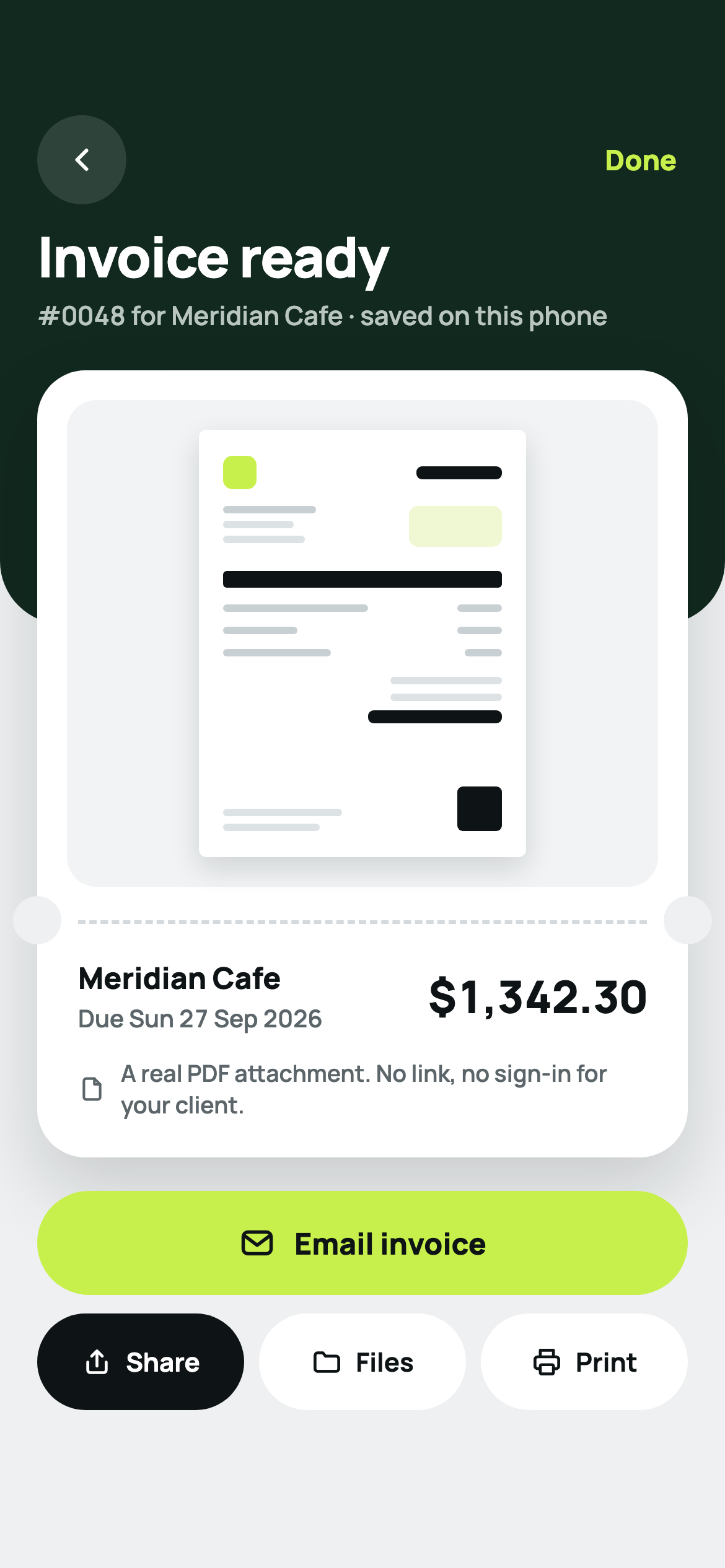
Send a proper invoice in two minutes, from the job, from your phone. A real PDF attached to the email, not a link your client has to sign in to open. No account, and the whole thing stays on your iPhone.
The price goes down the longer you stay
Invoicing apps raise the price on the people who stayed. It is the complaint that fills their reviews. PaidSnap does the opposite, and it is written into the product rather than into a promise: three yearly plans, and you step down to the next one in the month before renewal.
| PaidSnap Pro | What usually happens | |
|---|---|---|
| First year | $49.99, after a 7-day free trial | An introductory price |
| Second year | $39.99 | Full price |
| Third year and every year after | $29.99 | Full price, plus the increase |
| Pay once instead | $89.99, for good | Usually not offered |
| Free plan | 3 documents a month, forever, no watermark | A trial that ends |
| Cut of what you invoice | None. Your client pays you directly | A percentage, if payments run through them |
Prices are US App Store prices; your own store shows your own currency. The lower years are claimed in one tap when the reminder appears, because Apple has no way to lower a price for one customer by itself. Cancel and come back later and you start again at the first year.
Everything the job needs, nothing it doesn't
A real PDF, not a portal link
Your logo, your colours, your own numbering. The amount due and how to pay sit at the top of the page where a client actually looks, with your bank details and a payment QR code printed underneath. Email it, message it, print it, or save it to Files.
It chases for you
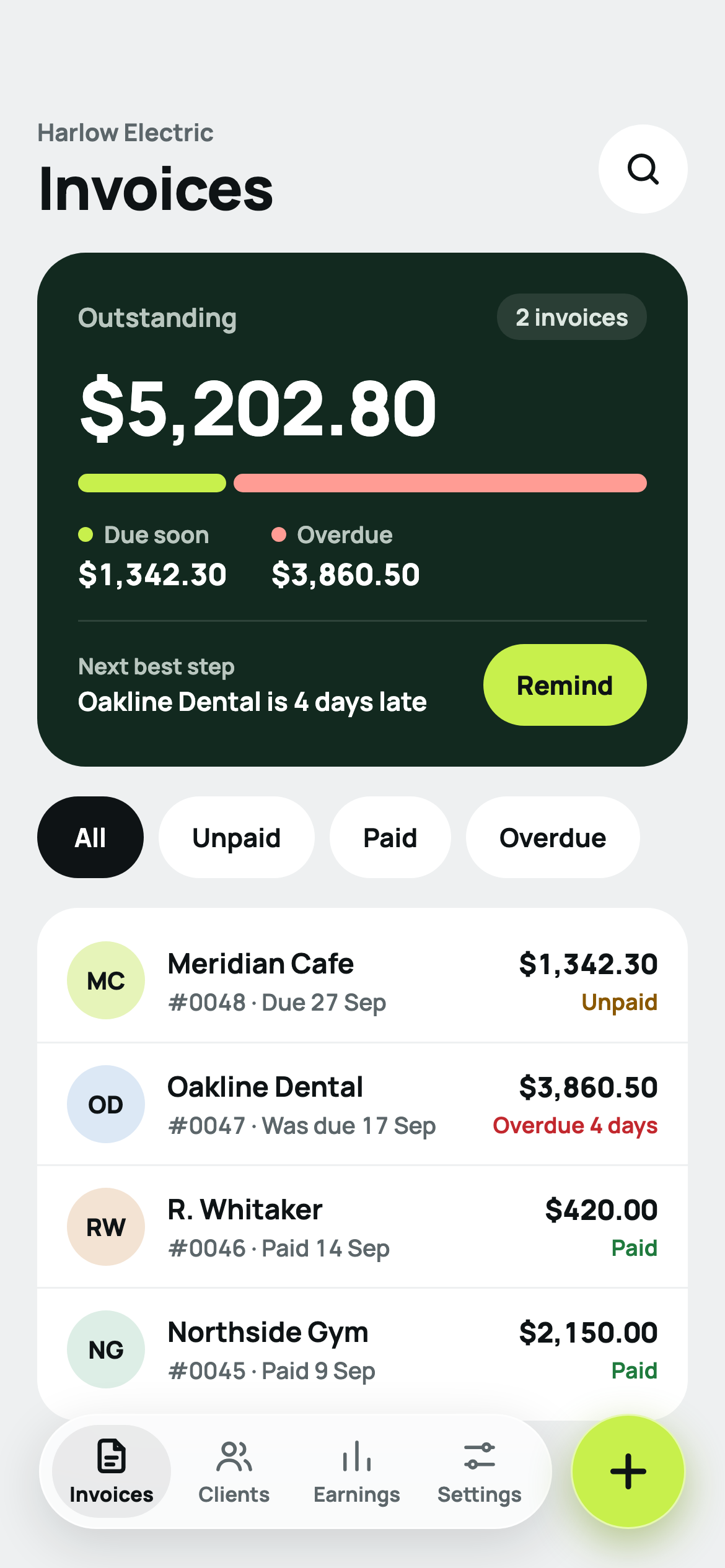
A reminder at 9am on the day an invoice falls due, and again three days after. Short payment terms get paid faster, so PaidSnap suggests seven days rather than thirty.
Right for where you work
Pick your country and the currency, tax, paper size and heading are set for you. VAT, GST, sales tax, and the words "Tax Invoice" where the law asks for them.
Deposits and part payments
Take a deposit up front, record what has landed, and the document shows the balance still owed. Per-item discounts and whole-invoice discounts both work, before tax.
Earnings, tax collected, and a CSV
What you invoiced, what landed, what is still owed, by month. Export a CSV your accountant can open, and a backup file of everything that you keep yourself. Estimates turn into invoices with one tap, so a quote that gets accepted does not get retyped.
Photos and signatures
Attach photos of the work, sign it yourself, and have the client sign on the phone. Lock the app behind Face ID if you would rather not leave client details open.
From the job to the invoice
Open it and start
No sign-up, no email, no password. Type your business name once and the first invoice is already numbered.
Add the work
Items you use often are saved and reused. Tax is applied the way your country applies it, and the total updates as you type, so there is no preview step to guess at.
Send the PDF
Email it straight from the app with the invoice attached, or share it anywhere else. Your client opens an attachment, which is the one thing every client can do.
Mark it paid
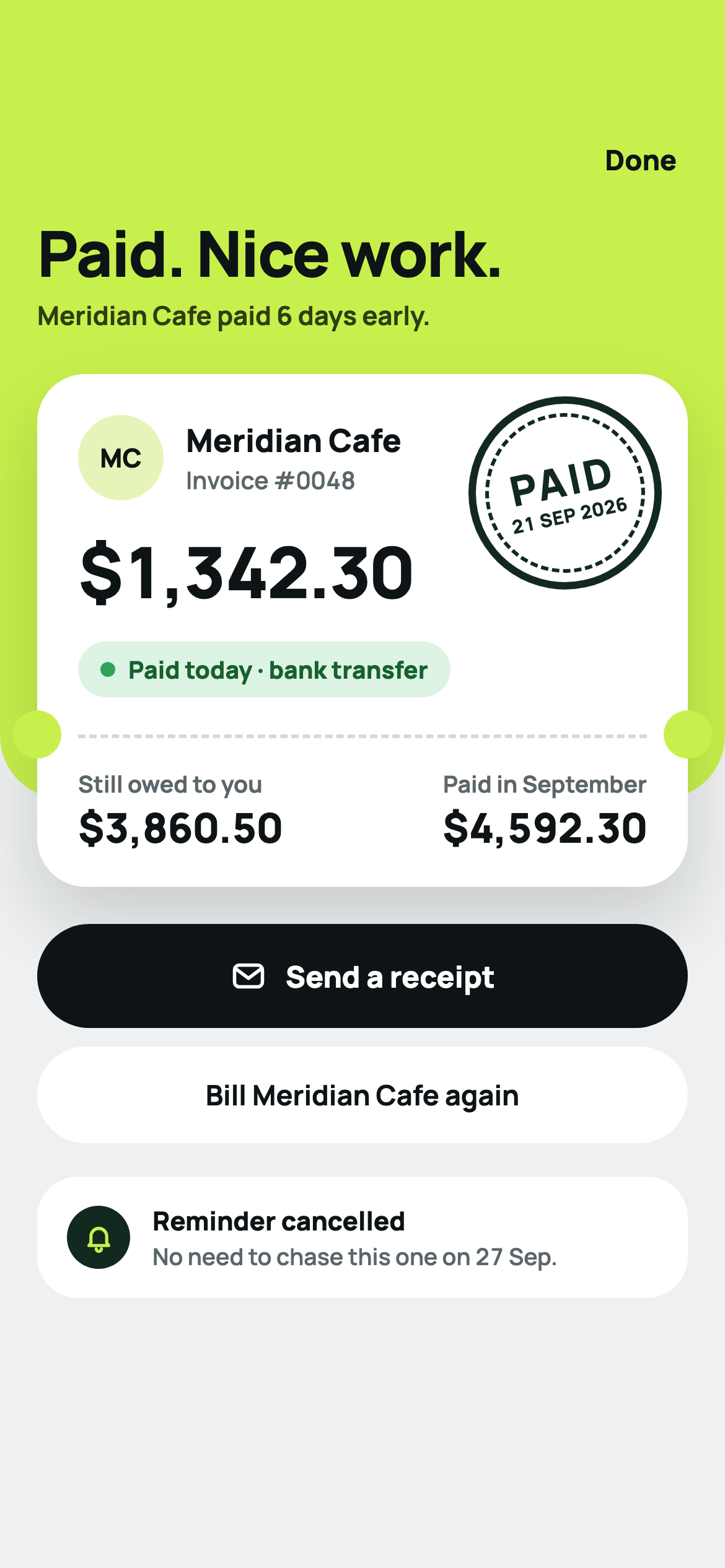
Tap paid and the reminder cancels itself. The PDF stops showing an amount due and stops showing the payment QR, so nobody pays the same invoice twice.
Sixteen countries checked, the rest left honest
These rates were read from the tax authority in September 2026. Anywhere else, PaidSnap still sets your currency and paper size and lets you type the rate — because a wrong rate printed on an invoice is worse than a blank field.
| Country | Currency | Called | Pre-filled |
|---|---|---|---|
| United States | USD | Sales tax | No national rate, so none is pre-filled |
| United Kingdom | GBP | VAT | 20%, 5%, 0% |
| Ireland | EUR | VAT | 23% |
| Germany | EUR | VAT | 19%, 7% |
| France | EUR | VAT | 20% |
| Spain | EUR | VAT | 21% |
| Italy | EUR | VAT | 22% |
| Netherlands | EUR | VAT | 21%, 9% |
| United Arab Emirates | AED | VAT | 5%, 0% · headed Tax Invoice |
| Saudi Arabia | SAR | VAT | 15% · headed Tax Invoice |
| South Africa | ZAR | VAT | 15%, 0% · headed Tax Invoice |
| India | INR | GST | 18%, 5%, 40%, 0% · splits into CGST and SGST, or IGST |
| Australia | AUD | GST | 10% · headed Tax Invoice |
| New Zealand | NZD | GST | 15% · headed Tax Invoice |
| Singapore | SGD | GST | 9% · headed Tax Invoice |
| Canada | CAD | GST/HST | By province: 13% Ontario, 14% Nova Scotia, 5% + 9.975% QST Quebec |
Rates move. India moved to GST 2.0 in September 2025 and Nova Scotia cut HST to 14% in April 2025, which is why these are checked rather than remembered. If one of them is out of date, tell us and it gets fixed in the next build.
What PaidSnap does not do
No web dashboard, no team
It is an iPhone app. There is no browser version, no Android version, no shared account for an office and no administrator view. If two people need the same books, this is not the product, and no amount of privacy makes up for a missing dashboard you actually need.
No card payments inside the app
PaidSnap prints your bank details and your own payment link on the invoice. It does not process cards, so it never holds your money — and it also cannot tell you the second a payment lands. You mark it paid.
No automatic sync between devices
Records live on the phone that made them. You can export a backup file and import it on another device, but there is no account quietly keeping two phones in step.
No recurring invoices yet
Billing the same client every month means duplicating last month's invoice, which takes two taps. A proper schedule is on the list, not in the build.
Straight answers
Does PaidSnap take a cut of what I invoice?
No, and it could not. Your client pays you directly, into your own bank account or through your own payment link printed on the invoice. PaidSnap never touches the money, so there is nothing to hold, nothing to release and no percentage to take.
What does the free plan actually include?
Three documents a month, forever, with no watermark on the invoice. Unlimited clients, unlimited saved items, your logo, your invoice numbers, tax, the real PDF and the email. Pro removes the three-a-month cap and adds photos, signatures, deposits and part payments, the tax reports and the widget.
Why does the price go down instead of up?
Because every other invoicing app does the opposite, and raising the price on the people who stayed is the thing their reviews complain about most. PaidSnap is $49.99 for the first year, $39.99 for the second, then $29.99 for every year after that. There is also a one-off $89.99 if you would rather never think about it again. The lower prices are claimed in one tap in the month before renewal; Apple cannot change a price for one customer on its own.
Is my client's data sent anywhere?
No. PaidSnap has no networking code at all — no account, no sign-up, no analytics, no servers. Invoices, clients, prices and PDFs live in the app's own storage on your iPhone. You can export a backup file you keep yourself, and you can import one back.
Does my client have to sign in to see the invoice?
No. The invoice goes out as a real PDF attached to the email, the way an accountant expects it. It is not a link to a portal, so there is nothing for your client to create an account for and nothing that stops working if the app disappears.
Which countries are the tax rates right for?
Sixteen are pre-filled and were checked against the tax authority in September 2026: the United States, United Kingdom, Ireland, Germany, France, Spain, Italy, the Netherlands, the United Arab Emirates, Saudi Arabia, South Africa, India, Australia, New Zealand, Singapore and Canada, the last one province by province. Every other country still gets the right currency and paper size; you type the rate, because a guessed tax rate on an invoice is worse than a blank one.
Can I move over from another invoicing app?
Yes, if it can export a CSV. PaidSnap reads the file, shows you which column it thinks is which, and lets you correct it before anything is saved. Clients and saved items come across in about two minutes. Nothing is uploaded to do it.
What happens if I stop paying?
Your invoices stay. Everything you have already made is still there, still openable, still exportable as a PDF and as a backup file. You drop back to three new documents a month.
Something wrong? Say so.
Open an issue on the PaidSnap support page and it gets read. Include your iOS version and what happened. Please do not post invoices or client details — they contain other people's information, and nothing about your invoices is visible to us anyway.